5.1. Slack
Overview
Plansom is an AI work platform that helps teams set goals, track execution, and get results with AI agents. Connecting Slack lets your Plansom agents search and reference your Slack conversations, and post updates back to Slack — directly from inside Plansom's AI agent chat, without needing to leave Plansom.
How It Works
Once Slack is connected and added to an agent, you can ask that agent anything that draws on your Slack workspace, and it answers directly in the conversation using real Slack data. For example, you can ask it to:
- Search across your workspace — "Find messages about the Q3 roadmap" or "Search for files shared in #design"
- Read channel history — "What was discussed in #planning this week?"
- Post updates back to Slack — "Post this summary to #announcements"
- Turn Slack content into a goal or task — "Create a task from this thread's action items," since Plansom is a goals and tasks platform, not just a Q&A chat
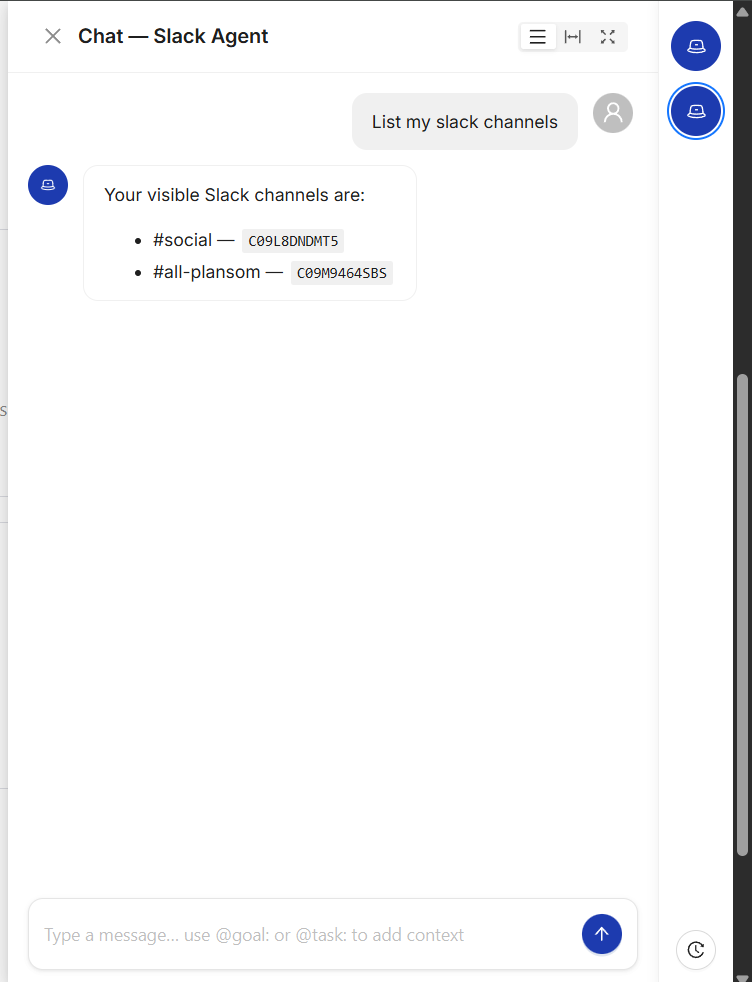
Responses are generated by an AI model and may occasionally be inaccurate — please verify anything important before acting on it.
Connect Slack
- Log in to Plansom, or sign up if you do not have an account yet
- Open your profile's Account Details and go to the Integrations tab (also reachable from Connectors in the left sidebar)
- Find Slack and click Connect

- Approve the connection on the Slack authorization screen that opens
After You Connect
Once approved, you are redirected back to Plansom, and Plansom shows a "Slack connected" confirmation message.
To start using it, add Slack to an agent: create a new agent or open an existing one, go to its Tools tab, click Connect a new tool, and select Slack under Communication.
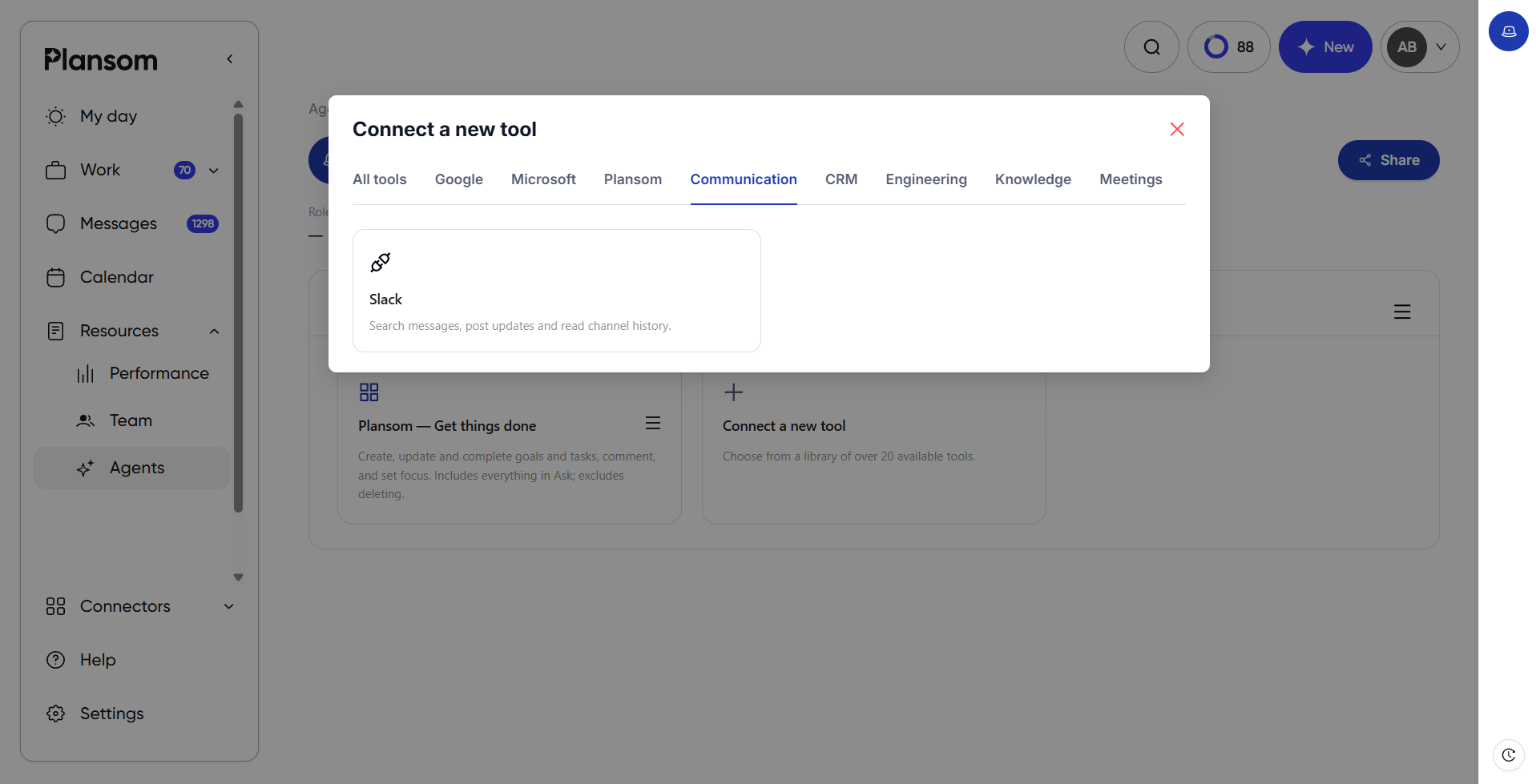
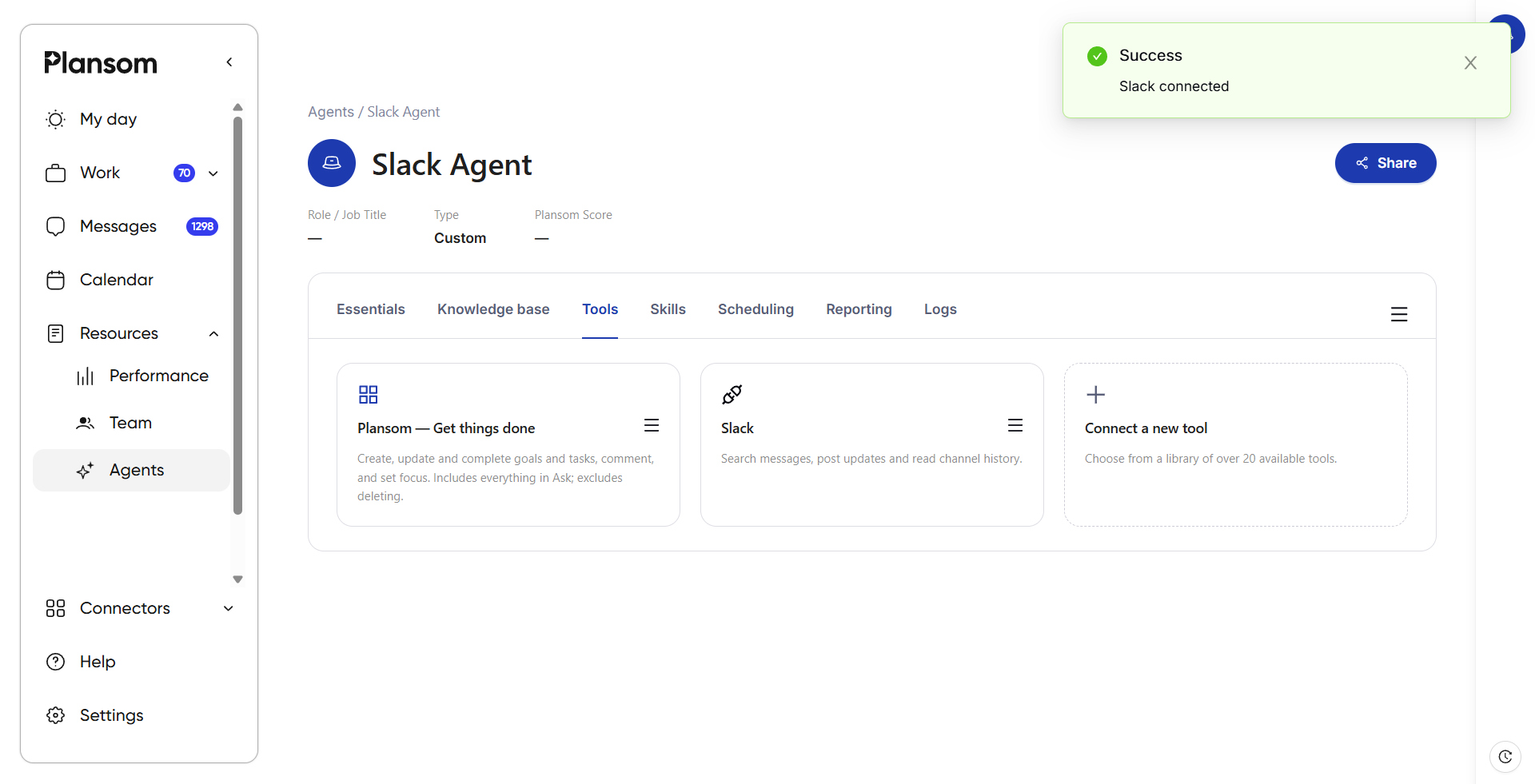
That agent can now use Slack as context in conversations, as shown above in How It Works.
Privacy
Plansom's use of your Slack data is governed by our Privacy Policy.