4.1.2. With AI Plan
Now, if you’re unsure how to structure your plan, don’t get stuck. Use Plansom’s AI Plan to turn a rough idea into a clear roadmap.
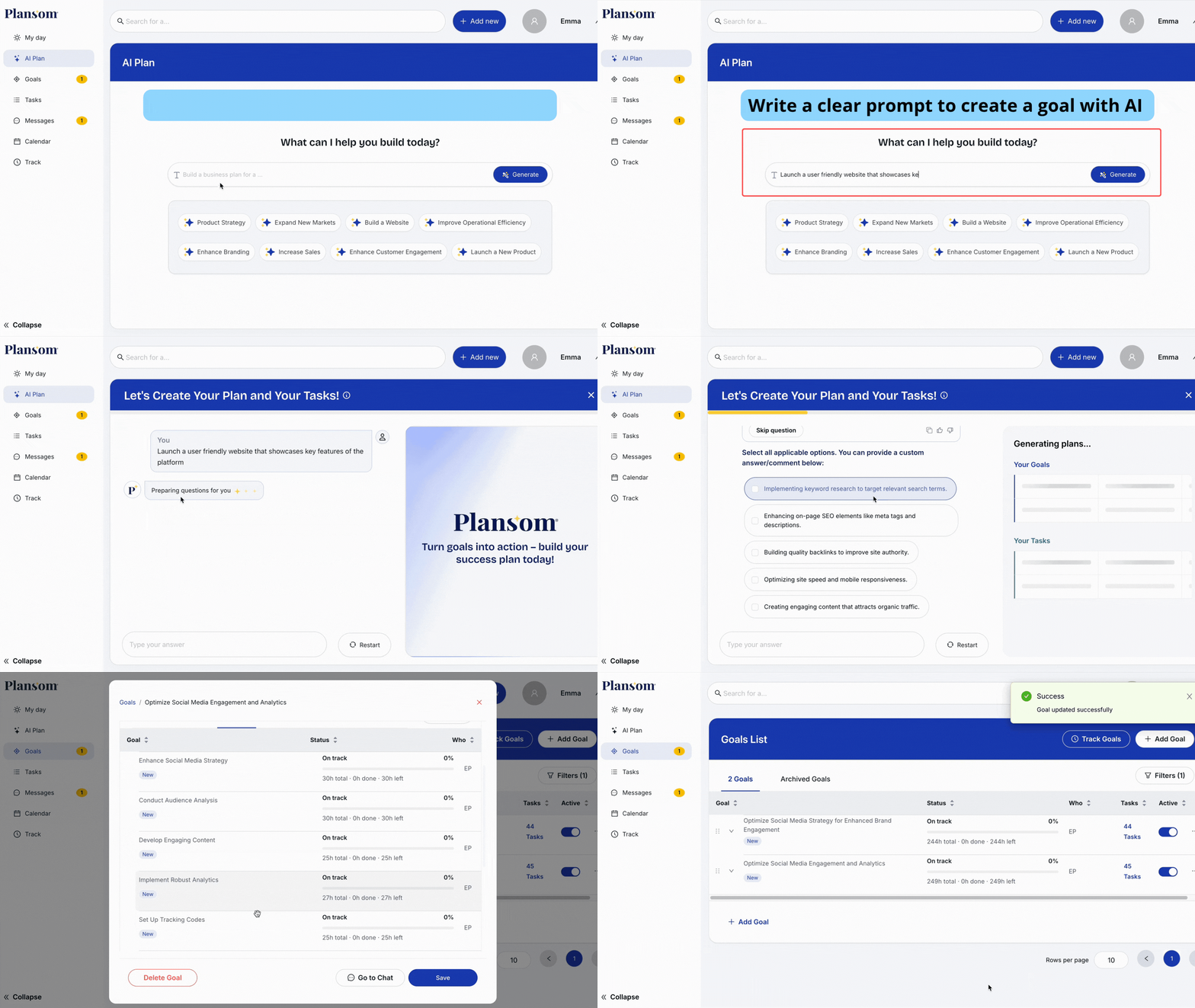
- Click on the AI plan on the left side of the panel
- You can use Plansom’s inbuilt Prompt template or give a short prompt to the AI plan
- Answer a few clarifying questions
- AI Plan breaks the goal into sub-goals and tasks
In minutes, a vague idea becomes an actionable plan. You can add or delete sub-goals and tasks as you go, making the roadmap your own.
Editing a Goal
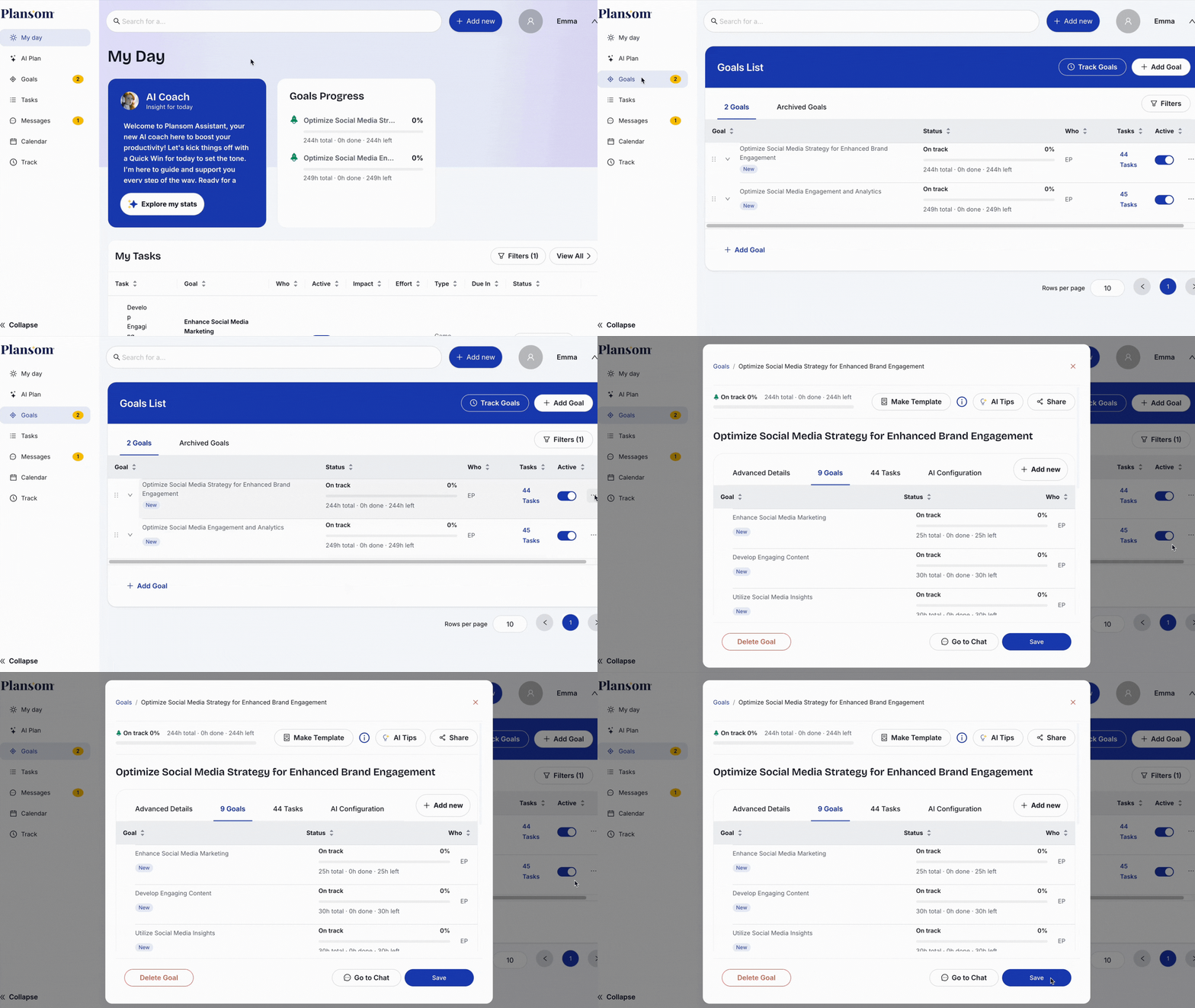
- Open the goal you want to edit
- Update the title, description, or owners
- Save changes, the updates are reflected immediately
AI Plan makes it faster to set clear, measurable goals. You do not need to draft the entire plan in one go. You can start small, describe one piece of what you want to achieve, let AI create a sub-goal, and repeat for other parts. Once the pieces are ready, merge them under a parent goal.
This way, your plan grows step by step. Each sub-goal is sharp on its own, and together they form a stronger, more complete goal.